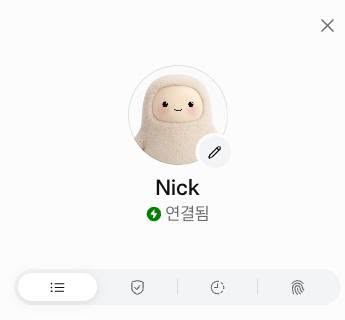
My first impression? It felt like a well-packaged OpenClaw. I ended up tossing Google Spark (which has a similar concept) in the trash after just a few days of use, but I think I’ll actually be keeping this one around a bit longer. For now, I’ve only used it on my iPhone and via the web. It looks like downloading the desktop app would grant it local file access, but I’m going to hold off on giving it that level of permission for now.
The onboarding process feels much better designed than OpenClaw’s. Right after my first login, it asked me to give it a name and suggested connecting my Google Mail and Calendar. Once I hooked up my Calendar, it asked for permission, read through my schedule, and actually tried to figure out who I am based on my events. I imagine if I had linked my Gmail, it would have done the exact same thing there.
One of my biggest frustrations with OpenClaw was how wildly the performance fluctuated depending on the LLM it was hooked up to. From my brief testing, Muse is showing pretty solid reading comprehension and command execution capabilities. However, unlike the seamless Google Calendar integration, setting up Naver Mail had a few initial hiccups.
I initially tried the IMAP/SMTP route. While the connection itself worked, it told me it couldn’t save the credentials. My guess is that since this isn’t a route users without a dev background typically take, it hasn’t been fully implemented yet. Instead, it suggested doing a web browser login to execute commands via the web UI. Wait, what? I let it try, mostly thinking, “Let’s see how badly this fails…” but surprisingly, it nailed it. It’s especially impressive because logging in from an overseas IP usually triggers a high security hurdle, but it bypassed it smoothly. Naver’s CAPTCHA can be annoying even for a human to solve, but it got past that without a hitch. And when it hit the 2FA prompt, it actually pinged me to approve the request.
Once we got past the login, it was smooth sailing. Just like my old setup with OpenClaw, it handled categorizing, reading, and deleting emails flawlessly. I kind of want to set up a daily schedule for it to read my new emails, but I suspect that would trigger a 2FA prompt every single time. Which wouldn’t be an issue if the IMAP/SMTP connection was fully working.
Ultimately, whether it’s for personal or professional use, every issue I run into regarding AI adoption these days boils down to one core dilemma: “How much permission should I actually give this thing?”
Give it too little, and its usefulness hits a hard ceiling. Give it too much, and you’re terrified it’s going to cause a massive accident.
Anyway, I’ll spend a few more days with it and see how it goes.

