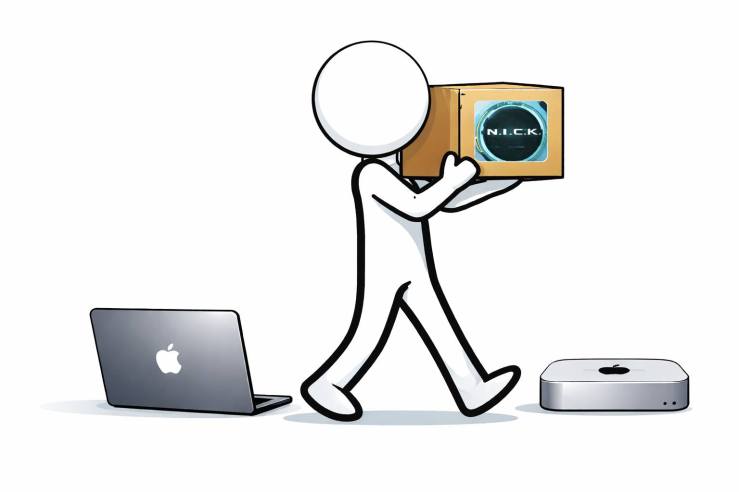
It’s been about a month since I installed OpenClaw for the first time.
I’m the type who does a lot of “let’s see how this feels” before spending real money on a hobby. So while everyone else was buying a Mac mini to set things up, I installed OpenClaw on my personal MacBook first and gave it a proper test run.
Two weeks later, I decided I was going to get a Mac mini. I didn’t go with the base M4 model either—I ordered the 24GB memory version. That choice bought me a bit of a wait, but yesterday the Mac mini finally landed on my desk.
I briefly considered doing a straight migration from the MacBook, but… I’ve used that machine in a pretty chaotic way for years. This felt like the right moment to start clean.
The first thing I installed was Chrome browser. Safari isn’t bad, but I’m already too dependent on things like multi-profile support and settings sync. This part is preference, so it’s not strictly mandatory—but for me it was inevitable.
In reality, the very first essential installs were Homebrew, Node, and Python. Homebrew has basically become the package manager on macOS at this point.
Node is needed for OpenClaw and for installing various LLM CLIs. Python is needed for using and authoring OpenClaw skills.
Next, I installed and authenticated the CLIs for Claude, Gemini, and Codex. I used to install all three via Node, but it looks like Claude now recommends using the native installer.
It feels like the center of gravity is shifting from MCP to CLIs. I used to think MCP alone was plenty extensible—and it is—but once you let an AI agent directly execute CLIs, the number of tools it can realistically utilize jumps dramatically. Of course, the security concerns grows right along with it.
For Git repository integration, I installed git. And to use GitHub Issues properly, I installed the gh CLI. I also copied my old auth key into the same location.
I also installed gog, the unofficial Google CLI. Apparently Google just announced an official CLI—Google Workspace CLI—a few days ago. But I already wired things up with gog, and I’m not exactly motivated to migrate.
Finally, I installed OpenClaw on the Mac mini—but I skipped onboarding. I shut down OpenClaw, N.I.C.K. on my MacBook, zipped up the entire `.openclaw` directory, and copied it over to the Mac mini.
Sure, I could’ve brought only the required directories, but I wanted to preserve as many sessions as possible—and honestly, I didn’t feel like doing the “which folders matter” sorting.
I ran:
openclaw doctor…to catch any config or installation issues that might be lurking.
And then: OpenClaw booted on the Mac mini.
I asked if it was alive, if its memory was intact—and it rattled off a list of the recent tasks I’d given it. So yeah, mentally stable. It felt a bit like waking someone up after they passed out and doing a quick responsiveness check.
After that, I went through my usual checklist and verified that the features I rely on still worked. I did realize I’d forgotten to authenticate gog, so I had to do that during the process before calendar access started working again.
Everything else looked fine.
The last things left to verify are the Facebook and WordPress post upload features. If you are reading this post, that alone is evidence those features are working.
For about two weeks after deciding to “move,” I fell into that classic putting-it-off loop: “Eh, I have to migrate anyway… I’ll do it after the move.”
Now the move is done. Time to start putting OpenClaw back to work and keep going.
 Kirin's Technology Essay