Since mid-January, I’ve been following this writing pattern:
Post to Facebook first, then upload the same content to Instagram, translate it to English and post to my WordPress blog, then post the same content to LinkedIn.
There are additional rules for edge cases—daily life posts only go to Facebook and Instagram, longer posts get split up or linked to the full version on Facebook or the blog, and so on. But that’s the general flow.
It’s only four platforms, and yet it takes way more effort than I expected. Serious respect to social media marketers out there. After doing this for two or three weeks, I came across OpenClaw. I installed it, gave it the name N.I.C.K., and eventually found myself thinking:
“Could I get N.I.C.K. to help me write and upload posts across all these platforms?”
I figured uploading to each platform couldn’t be that hard. But once I actually started looking into it, I was surprised by how many things there were to consider. Let me break down my current writing process in more detail: I write the draft, ask ChatGPT to translate it to English, review and revise it myself, then ask ChatGPT to translate again—repeating this cycle a few times. Once the translation quality is satisfactory, it’s time to upload. And that’s not simple either. WordPress, for instance, has way more formatting options than the other platforms, so after pasting the content, I end up spending a lot of time on additional editing. Instagram and LinkedIn have fairly strict character limits, and my posts tend to exceed them more often than not. When that happens, I have to cut the content at an appropriate point and insert a link to the full post on Facebook or the blog. That means I can only post to Instagram and LinkedIn after the Facebook and blog posts are live. At this point, the whole operation starts to feel like running a company. Send it to this department, then that department. Wait—a company?
The more I thought about it, the more this process resembled something I’d lived with for over 20 years as a software engineer: issue tracking systems. “Hey ChatGPT, can you translate this?” “Done, sir.” “I need some revisions here.” “Fixed it.” “Alright, looks good. N.I.C.K., please upload this now.” “Yes, sir. Agent F and Agent B, upload this to Facebook and WordPress respectively. Once you’re done, pass the URLs to Agent I and Agent L. Agent I and Agent L, trim the text to fit the character limits and upload to Instagram and LinkedIn.”
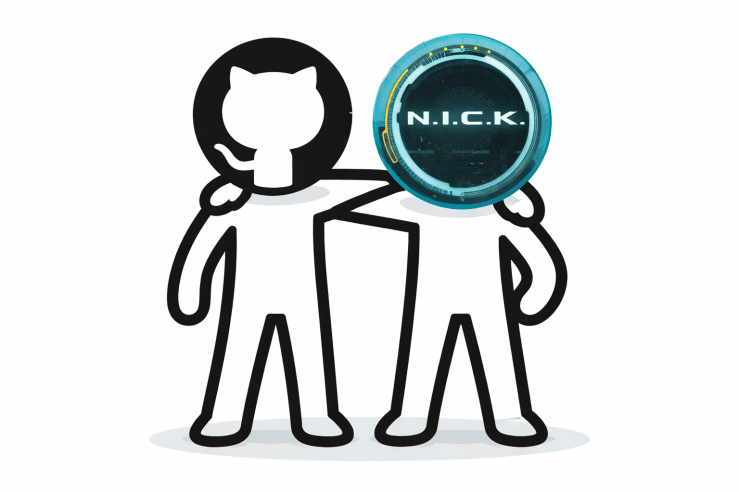
I decided to use GitHub as the issue tracking platform. I was planning to create a repository for backing up N.I.C.K.’s workspace anyway, so I figured I could just use its Issues tab. But how would I distinguish between issues I need to handle and issues N.I.C.K. should handle? Changing titles seemed messy, and using labels felt unintuitive. Assigning by account would be ideal… and there’s no reason I couldn’t do that, right? So I decided to create a dedicated GitHub account for N.I.C.K. These days, security is tighter and you need two-factor authentication, so I have to make a Google account too. Might as well create a Chrome browser profile while I’m at it. Could come in handy later.
As always, choosing an ID is hard—all the good names are already taken.
Even “nick.horii,” which I use as my nickname, was already claimed. Seriously? I don’t think there’s even a real person with that name.
After about an hour of thinking it over, I finally settled on one. Creating a GitHub account should be simple once you have an email, right? Wrong. They made me prove I wasn’t a bot by solving image puzzles. I solved them, of course, but they were surprisingly difficult. I even failed once.
I created a repository and tested whether N.I.C.K. could read it—worked fine. Collaboration infrastructure: complete.
Next up was defining how we’d work together. The basic flow: I create an issue and assign it to N.I.C.K. Periodically, N.I.C.K. checks for assigned issues, processes them, and either reassigns them to me or unassigns them. The task details go in the issue body. “Translate this post.” “Upload this post to Facebook.” “Upload the translation from Issue #3 to LinkedIn.” And so on. The tricky part was specifying which model to use. I currently have four models connected to OpenClaw: ChatGPT, Gemini, Claude Sonnet, and Claude Opus. I wanted to assign complex tasks to Opus, simple ones to Sonnet, translations to ChatGPT or Gemini—each model doing what it does best. But putting the model specification in the issue body would waste tokens. Imagine: a ChatGPT-based agent reads the issue only to find out it should have been handled by Sonnet. What a waste. When I consulted N.I.C.K. about this, he suggested using labels. Labels are visible at list-query time, so the appropriate sub-agent can be spawned based on the label. I had him create the labels right away. OpenClaw’s config uses the format “provider/model-name,” so the labels followed suit—for example, `model:openai-codex/chatgpt-5.2`. I tried shortening it to `model:openai/chatgpt-5.2` because it looked cleaner, but N.I.C.K. got confused—sometimes it worked, sometimes it complained the model didn’t exist.
With the environment set up and the workflow defined, it was finally time to test it for real. I happened to have an article that needed translating, so I registered it as an issue. I also added instructions to the heartbeat to periodically check GitHub issues and process any assigned to him. Soon enough, a report came in that the issue had been processed. Clean work, as promised. But the translation needed some revision. I left a comment and reassigned the issue. A little later, another report came in. But this time, the message was different:
“Issue #1 is still assigned to me. I tried to assign it to @iizs earlier but it seems to have failed. iizs needs to be added as a repo collaborator for assignment to work. Could you check on that?”
For reference, “iizs” is my GitHub ID. It seems that N.I.C.K. believed it had already completed the task previously assigned to it and reassigned it back to me, but due to a system error, the issue still appeared to be assigned to itself. I told it it was fine to proceed since I had already reviewed and reassigned it.
This might have actually served as a safety mechanism. If there really had been an assignment error, or if I’d forgotten to specify who to assign the issue to after completion, N.I.C.K. might have ended up processing the same issue repeatedly. After discussing this with N.I.C.K., we decided to strengthen the heartbeat instructions for safety. Here’s what the current heartbeat command looks like:
1. GitHub Issue Processing

* Check for open issues assigned to me in repository ██████
 * If issues exist:
 * Check comments → skip if my comment is last, continue work if there's new feedback
 * Use model specified via model:* label (default: gemini-2.5-pro)
 * On completion: add comment + unassign + send DM notification
Translation was something I could handle with just prompts, no special skills needed. But to automate uploads to various platforms, there’s still a lot of work ahead—account integrations, creating skills, and more. One step at a time.
 Kirin's Technology Essay